
The following information shows How To give us a Review on Facebook.
Using a Phone (Facebook App), follow these steps;
#1. Go to our Dream Imagine Believe Photography Facebook Page.
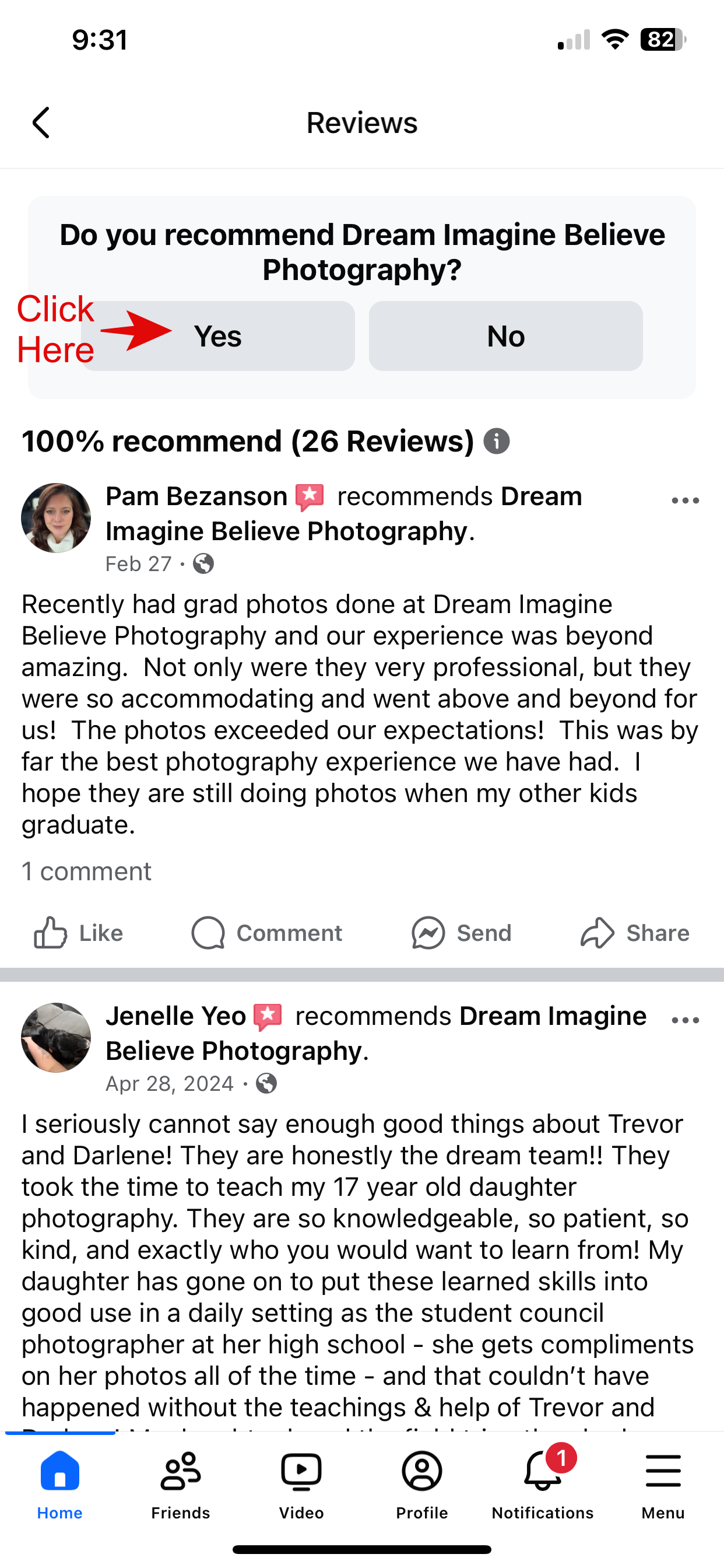
#2. Click the blue Text “Reviews”
#3. Click “YES”
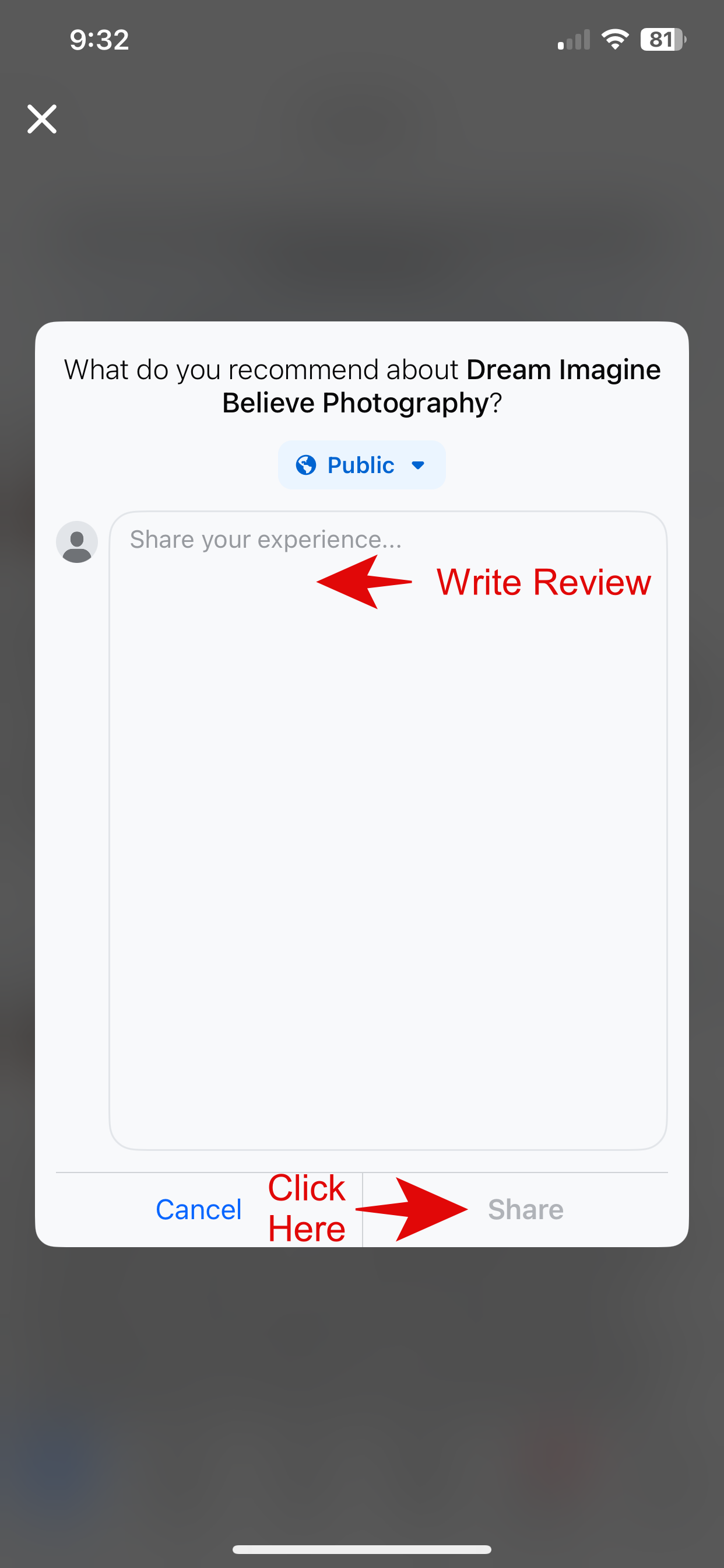
#4. Choose Public, Write the review, Then click “Share”
Thank you for taking the time to write a review.

Using a Desktop Computer, follow these steps;
#1. Go to our Dream Imagine Believe Photography Facebook Page.
#2. Click the “Reviews” in the menu
#3. Click “YES”
#4. Choose Public, Write the review, Then click “Post”
Thank you for taking the time to write a review.



 Dream Imagine Believe Photography